 Quillbook
One cash book. The same balance on every phone.
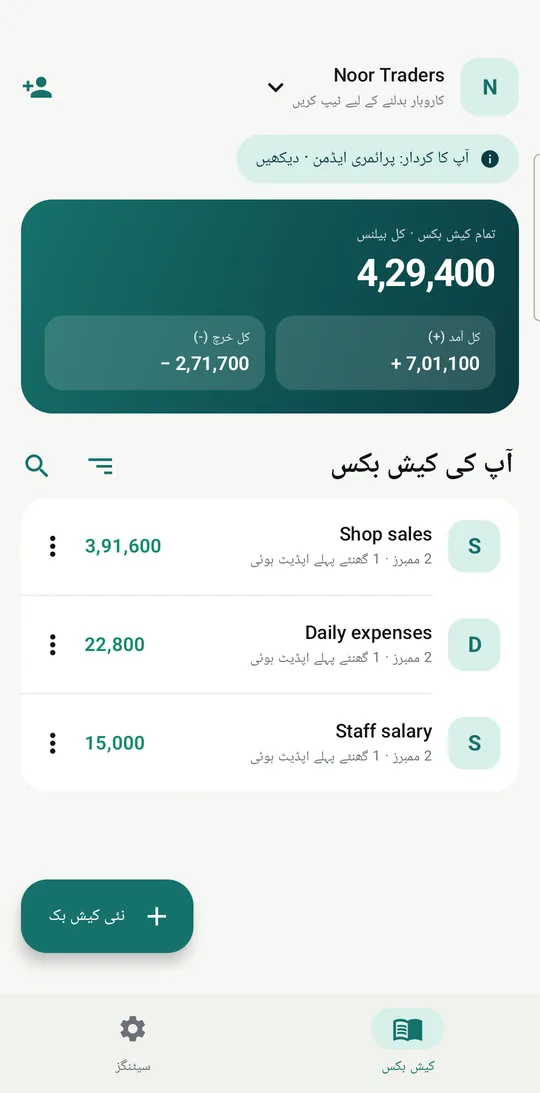
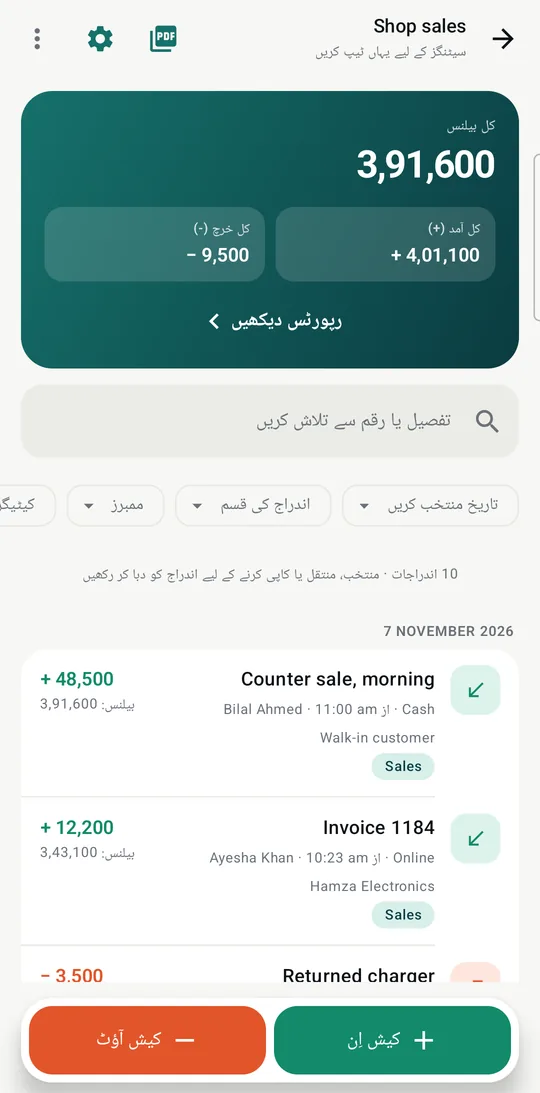
Your team records cash in and cash out on their own phones. You see each entry, and who made it, as soon as it syncs.
Bilal at the shop counter
Shop sales
Ayesha at home
Shop sales
Updates on its own
Try it: tap Cash In or Cash Out on Bilal's phone.
Write it down before you forget it.
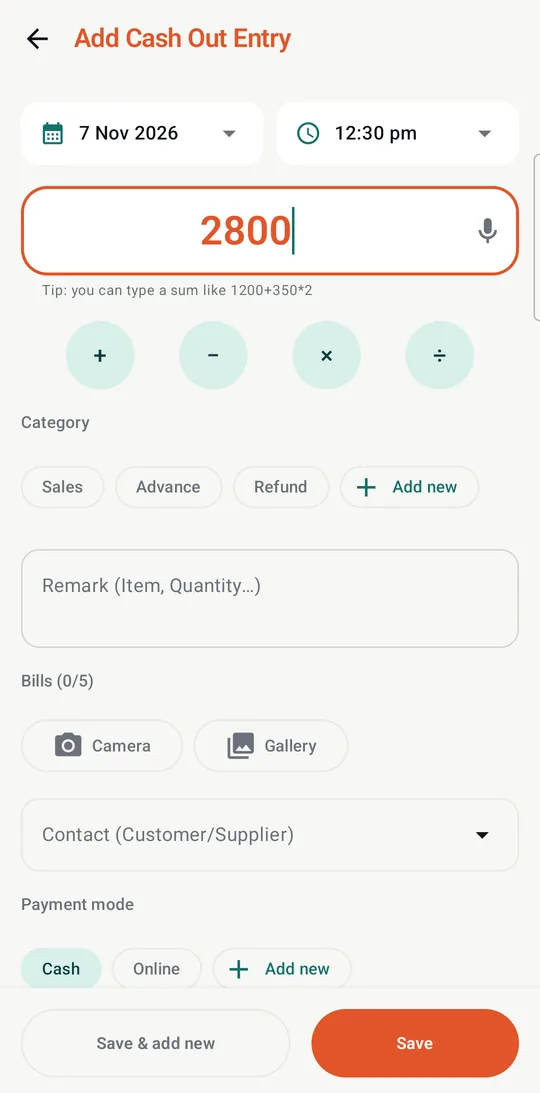
Open a book, tap Cash In or Cash Out, and the keyboard is already on the amount.
- The amount box is a calculator. Type 1200+350*2 and it works out the sum.
- Or just say it. "500 diesel" fills in the amount and the remark.
- Keep the bill. Attach up to 5 photos to any entry.
- No signal? Keep going. Entries save on the phone and sync when you're back online.
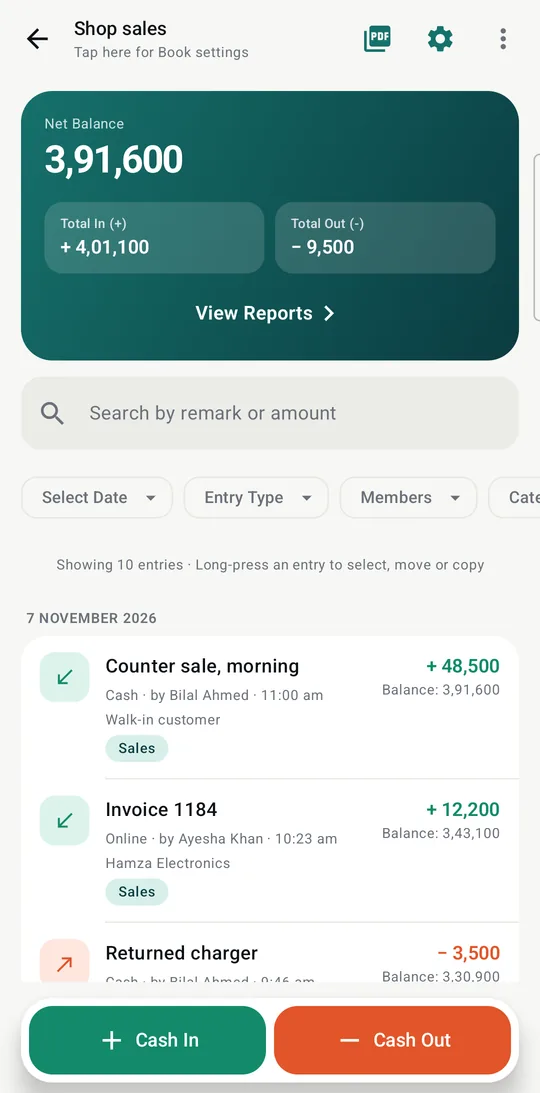
Every entry says who wrote it.
No more asking who took the cash. Each line shows the person, the time and the balance after it.
- As many books as you need: shop sales, expenses, staff salary.
- Find anything. Search by remark or amount. Filter by date, type, member, category or payment mode.
- Mistakes can be undone. Deleted entries and books can be restored for 30 days.
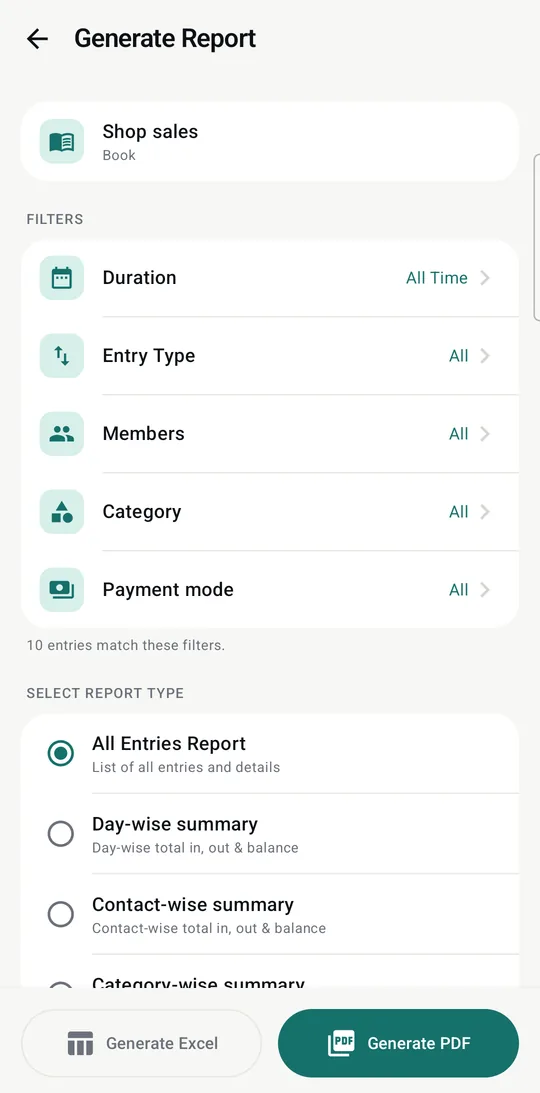
A clean report when someone asks for one.
Pick a book, set your filters and share a PDF or Excel file from your phone.
- All entries, or summaries by day, contact, category and more.
- Your whole business in one file. Back up every book to a single Excel workbook whenever you like.
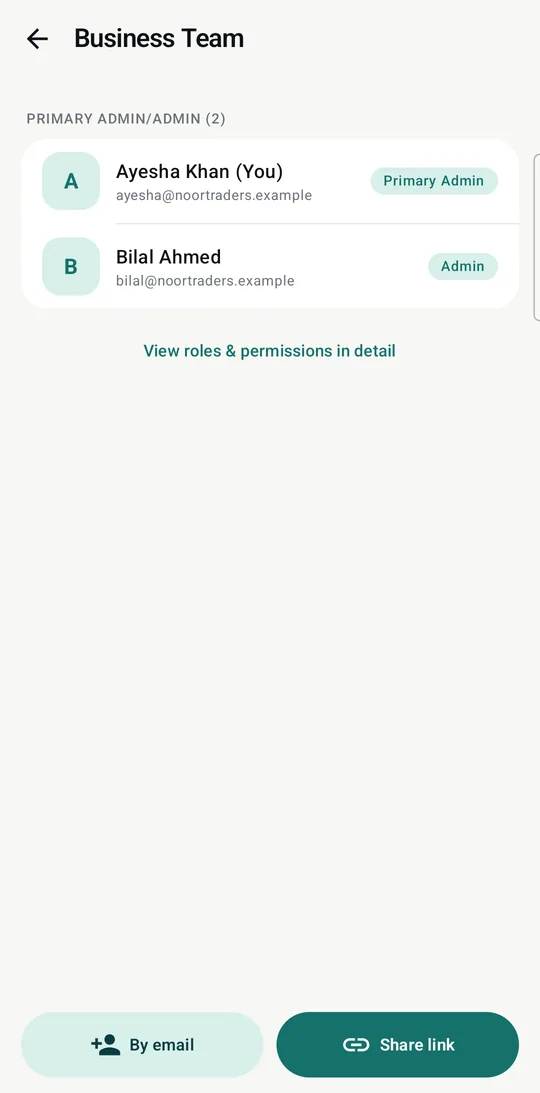
Give each person only what they need.
Your accountant can read. Your cashier can write. Neither can touch the rest.
Invite by email or with a link. A link works only for the Google account you name, only once, and only for 7 days.
In English or اردو
Switch language in Settings and the whole app follows, including the layout, which reads right to left. Each person on the team can choose their own.
Your records stay in your business.
Only people you invite
Each business is closed to everyone else. Roles are checked on the server, so a modified app can't get around them.
Encrypted
Data is encrypted on its way to the server and while stored, on Google Firebase in Mumbai.
App Lock
Ask for a fingerprint, face or phone PIN when the app opens. Balances also stay out of screenshots.
No ads, no selling
We don't show ads, sell your data or use it for marketing. Read the privacy policy.
Yours to take
Admins can export every book to Excel at any time, with no request and no waiting.
Yours to delete
Delete your account or business from Settings, or ask us by email.
Questions
What does it cost?
Quillbook is free to download and use. Some features may need a paid plan later. If that happens, the price will be shown in the app before you pay anything.
Which phones does it work on?
Android 8.0 or newer. There is no iPhone app yet.
Does everyone need a Google account?
Yes. You sign in with Google, and that's also how invites know they've reached the right person.
Does it work without internet?
Yes. Add and read entries offline. They sync when the phone reconnects, and then everyone sees them.
Can Quillsail read my entries?
Data is encrypted in transit and at rest, but not end-to-end, so the people who run the service can technically reach it. We only look when you ask us to fix a problem or the law requires it. Details are in the privacy policy.
Does Quillbook move money?
No. It's a record book. It isn't connected to any bank and doesn't hold, send or lend money.
Quillbook is coming soon to Google Play.
Email us and we'll send you the early access link.